Pickleball open play on a TV: bring your session to the big screen
DinkPro's big screen turns any TV or projector into a live pickleball open play board: every court with its players and clock, the queue in order, the leaderboard, hot streaks and the next players called with a chime. It is a second window on the computer running DinkPro, so it needs no internet, no casting and no extra hardware, and it is free.
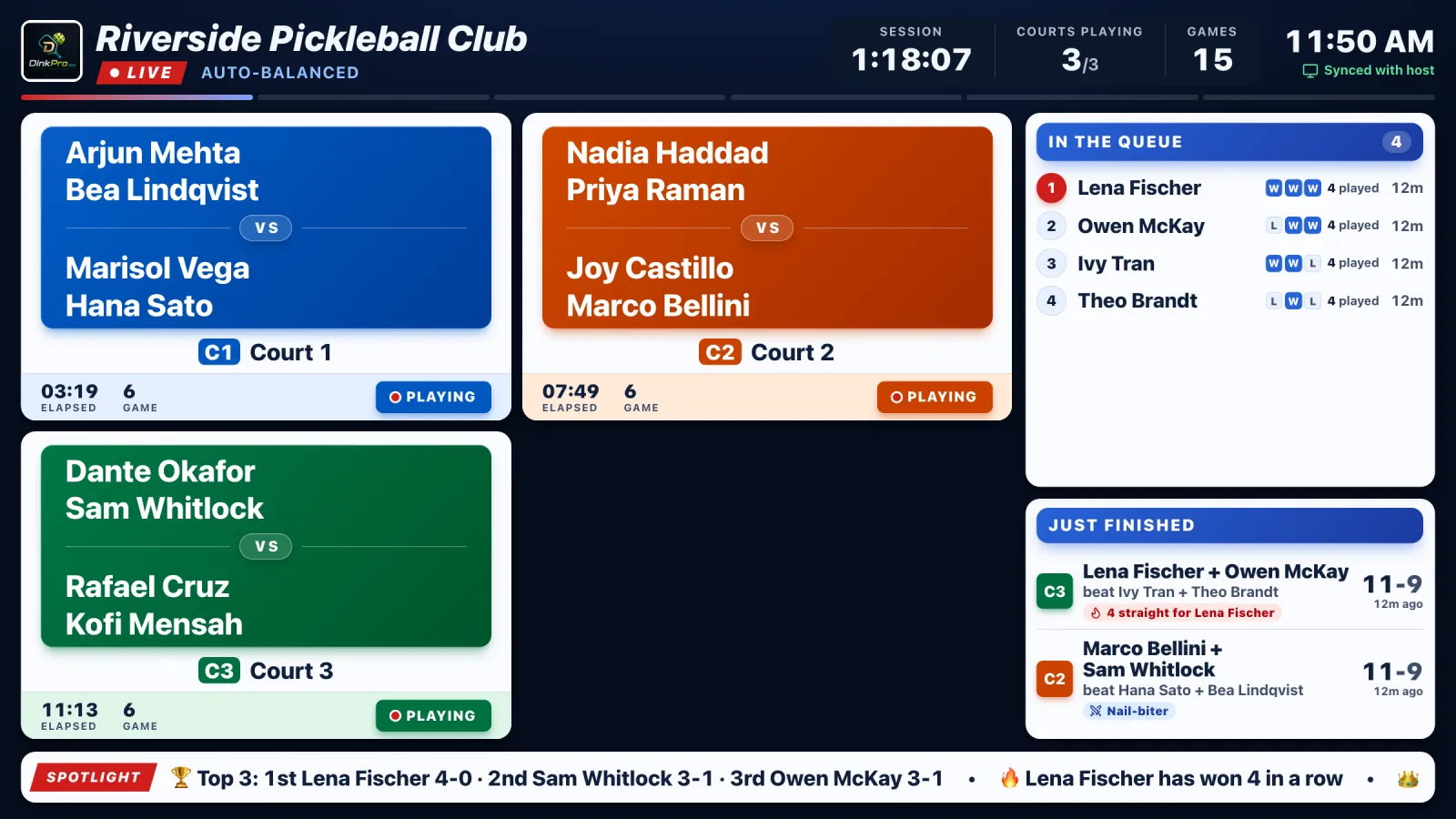
What the room sees
| On the TV | DinkPro big screen |
|---|---|
| Courts | Every court in its own colour, with the four players, the game clock, and the score when you keep it |
| Queue | Who is up next in order, with games played and each player's last three results |
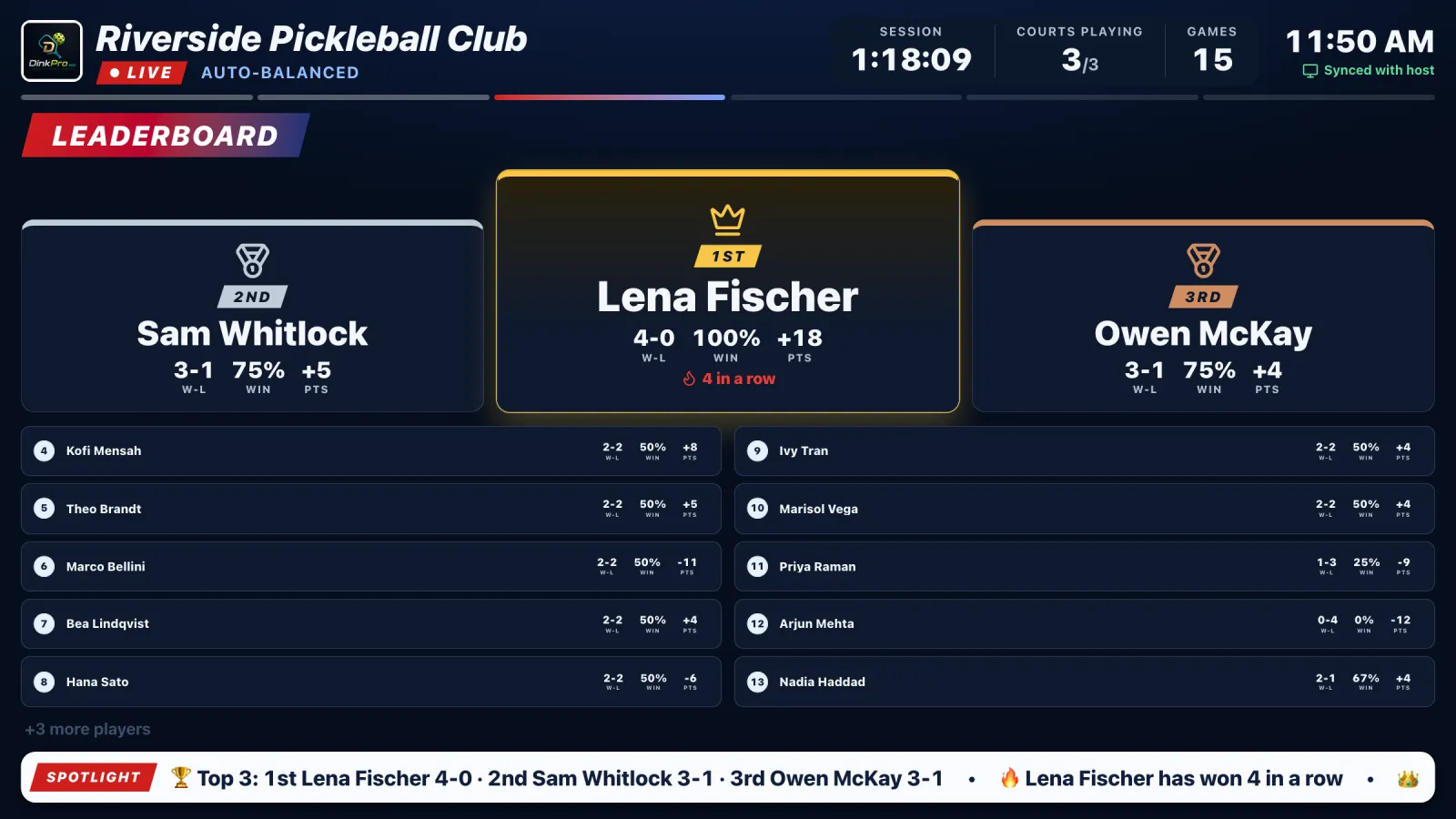
| Leaderboard | A top three podium and the full table with win-loss, win rate and point difference |
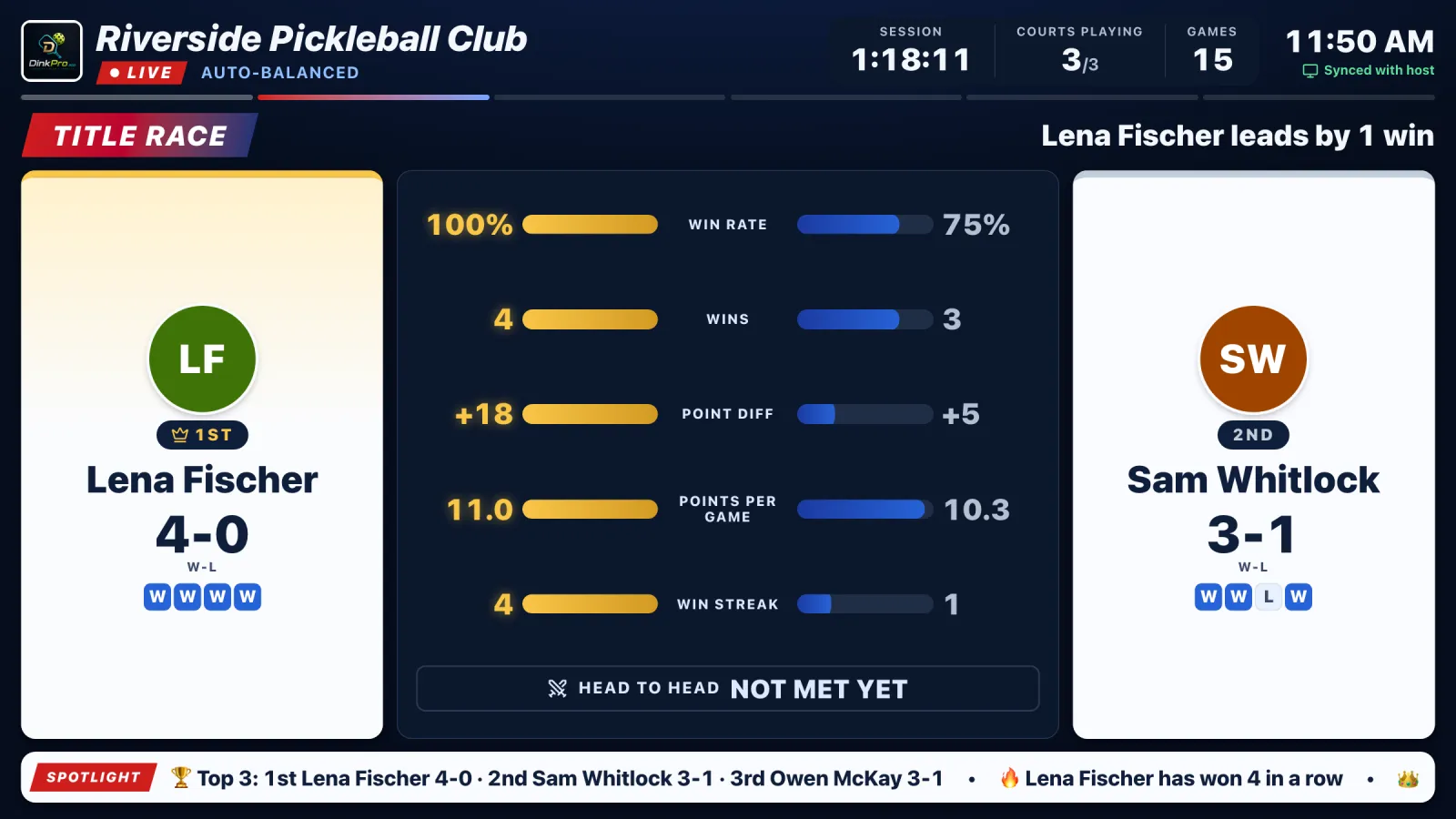
| Title race | The top two players head to head on win rate, wins, point difference and streak |
| Stories | Just finished results with the story of the game: streaks, upsets and nail-biters |
| Now calling | The next players flash up full screen with a chime when a court is theirs |
| Player phones | With Go Live on, a full-screen QR sends players to their own games and stats |
| Host control | Pick a page from the host tablet or let the screen rotate through every page on its own |
| Hardware | The computer running DinkPro plus a TV or projector as its second display (HDMI or a wireless extended display) |
| Internet | Not needed. The screen talks to the host window on the same computer |
| Price | Free, like everything in DinkPro. No account, no subscription |
How to put open play on a TV in four steps
1. Connect the TV
Plug a laptop or desktop into the TV or projector with HDMI, or extend its display wirelessly. Use extend, not mirror, so the host window stays on the laptop.
2. Open DinkPro and tap Big screen
Start or open your session and tap Big screen in the top bar. A second window opens with the board. You can do this during setup and it goes live when you tap Begin Game.
3. Drag the window onto the TV
Move the new window to the TV and press Fullscreen. Click it once so the chime can play.
4. Run the session as usual
Every result, lineup and check-in on the host window appears on the TV within a moment. Use the arrows in the Big screen panel to show a page, or let it rotate.
Why a TV board changes open play
Without a board, every player at open play asks the host the same three questions: when am I on, which court, and how am I doing. A screen everyone can see answers all three before they are asked. The host stops being the queue and gets back to running the session, players walk to the right court the moment it is called, and the leaderboard and streaks give the room something to play for between games.
Big screen questions
How do I show the pickleball queue and courts on a TV?
Connect the computer running DinkPro to the TV as a second display, tap Big screen, and drag the window that opens onto the TV. It shows every court, the queue, the leaderboard and the next players called, and it updates on its own as you record games.
Does the DinkPro big screen need internet?
No. The big screen is a second window on the same computer and gets every update straight from the host window, so it keeps running with no wifi. Only the phone extras need a connection: the stats QR that sends players to their own games, and self check-in.
Can I cast the big screen from a phone or tablet?
Not as a separate board. The big screen opens as a second window on the device running DinkPro, so use a laptop or desktop connected to the TV. Players can still follow along on their own phones with Go Live.
What does the big screen show?
Courts and the queue, a leaderboard with a podium, a title race between the top two, hot streaks, session numbers and the latest results with the story of each game. When a court frees up, the next players flash up full screen with a chime.
Does it work in every game mode?
Yes, in all nine open play modes, including Fixed Pair, King / Queen court and Skill courts. Tournament Mode has its own bracket big screen with courts, results and broadcast segments.
Is the big screen free?
Yes. Like everything in DinkPro it is free, with no account, no subscription and no extra hardware to buy beyond the TV you already have.
New to running open play? See how the open play rotation works, the seven open play formats compared, and how DinkPro compares to other open play apps. Running a bracket instead? The tournament app has its own bracket big screen.